
Settings
All settings are under WooCommerce → TrustOrder → Settings. Change what you need, then click Save in the top bar. Discard throws away the changes you have not saved.
API key
Section titled “API key”The API key card holds your key. How to get one and how to set it in wp-config.php instead: Install and connect.
Turn checks at checkout on or off
Section titled “Turn checks at checkout on or off”The Checks at checkout card has an On / Off switch.
- On: risky buyers do not see the payment methods you chose to hide.
- Off: no check runs and every payment method stays available. Completed and not picked up orders are still reported.
Choose the strictness
Section titled “Choose the strictness”The Strictness cards decide what happens to cash on delivery at each level. Trusted, new and limited-data buyers always keep it.
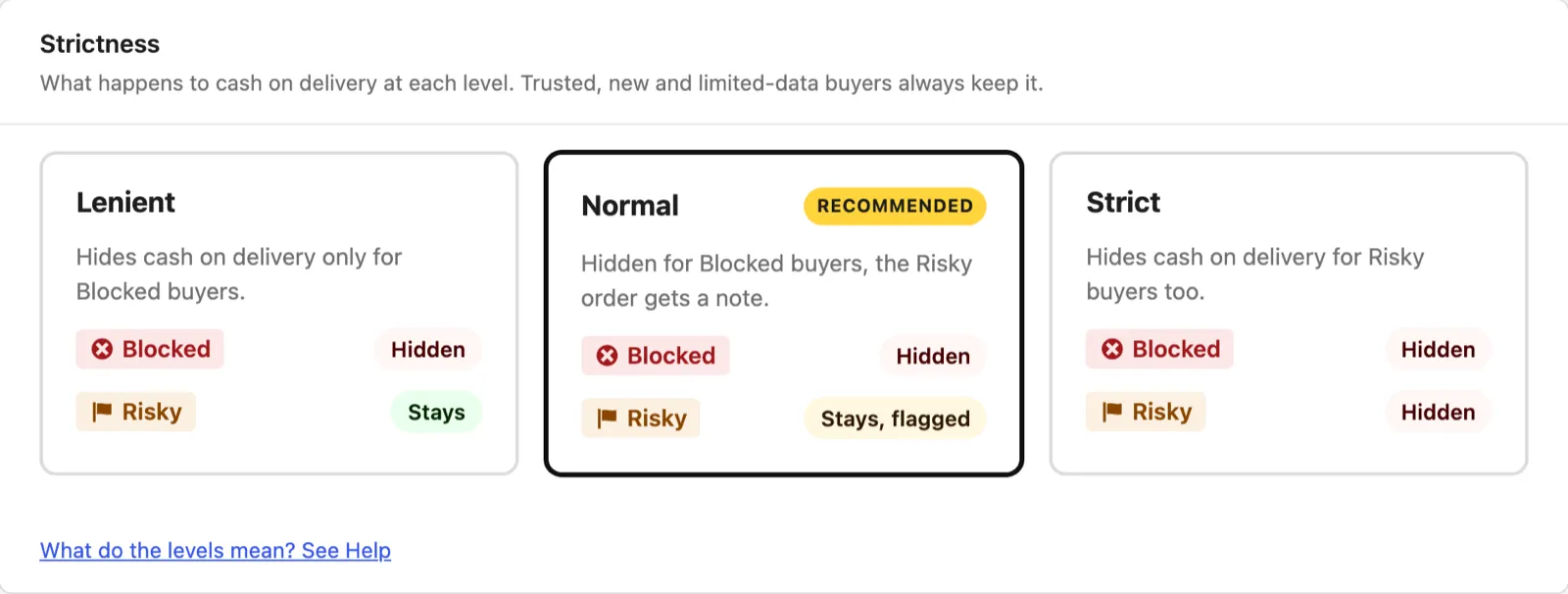
| Strictness | Blocked buyer | Risky buyer |
|---|---|---|
| Lenient | Cash on delivery hidden | Cash on delivery stays |
| Normal (Recommended) | Cash on delivery hidden | Stays, the order is flagged |
| Strict | Cash on delivery hidden | Cash on delivery hidden |
A flagged order gets a private note with the level, the score and the reasons. Flagged buyers can still pay with every method.
What the levels mean: Orders and badges.
Payment methods to hide and fallback methods
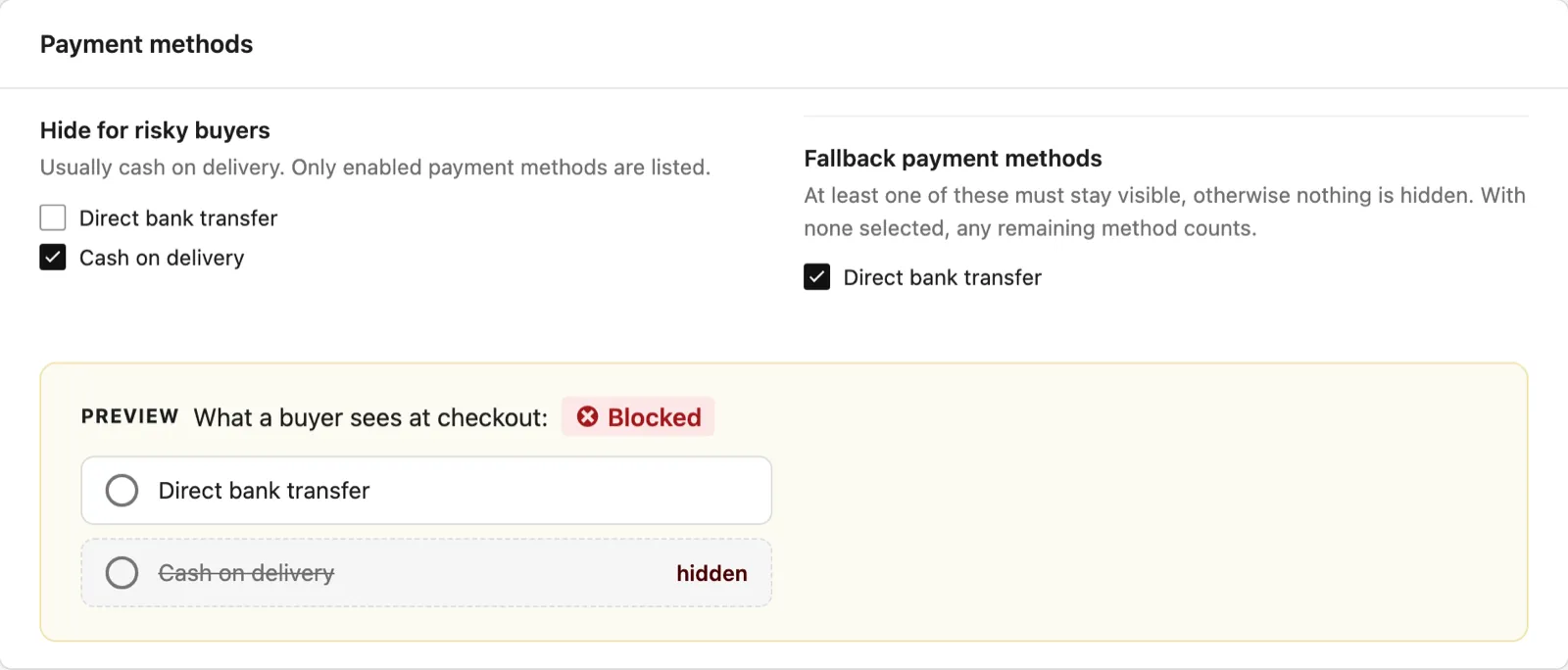
Section titled “Payment methods to hide and fallback methods”Under Payment methods you choose two lists. Only enabled payment methods are listed.
- Hide for risky buyers: the methods a buyer loses when TrustOrder hides cash on delivery. Usually this is cash on delivery, which is also the default.
- Fallback payment methods: at least one of these must stay visible, otherwise nothing is hidden. With none selected, any remaining method counts.
A method cannot be hidden and a fallback at the same time.
The Preview under the lists shows what a Blocked buyer sees at checkout with the settings on screen, saved or not. Hidden methods are marked hidden.
Nothing is hidden if no fallback stays visible
Section titled “Nothing is hidden if no fallback stays visible”TrustOrder never leaves a buyer without a payment method. If hiding would leave no fallback method visible, nothing is hidden. The preview warns you: “Nothing is hidden now: no fallback method would stay visible. Pick a fallback method that is not hidden.” The last remaining payment method is never hidden.
Orders placed with a hidden method
Section titled “Orders placed with a hidden method”The server refuses an order placed with a hidden method, even when the request skips the checkout form. The buyer sees: “Choose another payment method for this order.” Paying for an existing order uses the result stored on that order.
Pickup-point and local pickup methods
Section titled “Pickup-point and local pickup methods”Under Pickup-point and local pickup methods, tick the shipping methods where the buyer picks up the parcel. With these methods there is no delivery address, so no address is checked.
Silent mode
Section titled “Silent mode”Silent mode is off by default. When it is on, checks at checkout, hiding cash on delivery and the outcome reports keep working, but the orders show nothing from TrustOrder:
- no COD check column in the orders list,
- no TrustOrder box on the order page,
- no notes on the order page.
The results are still stored on the orders. After you turn Silent mode off, the column and the box show them again. Orders checked while Silent mode was on get no note afterwards.
Share country and postcode
Section titled “Share country and postcode”Share country and postcode is on by default. While it is on, each order is sent once, the first time it enters processing, on hold or completed from another status. Only its country and postcode are sent (shipping address first, billing as the fallback), for anonymous order statistics. Nothing else is sent: no name, e-mail, phone, street, order number or amount.
- The service stores the country, the postcode, the shop and the hour, with no link to the order, and deletes it after 1095 days.
- Orders whose first paid status came while the setting was off, and orders from before the update that added it, are never sent.

Privacy policy text
Section titled “Privacy policy text”The plugin adds a suggested section to the WordPress privacy policy guide (Settings → Privacy → Policy guide). It describes which buyer data is hashed and sent, the purpose, the legal basis, that the shop is the contact point and the 3-year retention, plus a paragraph about sharing the country and postcode when that setting is on.
Change settings from the command line
Section titled “Change settings from the command line”Every setting is also available with wp trustorder settings. See WP-CLI.